A common Confluence page: a project status dashboard with one small table per sub-project, each showing only the newest few Jira work items. With the legacy Jira Issues macro this was a JQL query, Maximum issues: 5 and a compact table. The Jira Work Items macro that replaced it on Cloud has no row limit: it loads the whole result set into a fixed-height box with its own scroll bar, and shows people as avatars. With seven of them on one page, the page gets long and heavy.
A Reporting Table View from CelesteCS Reporting for Confluence gives you the old result back: a plain table, exactly the rows you ask for, and the columns you choose, names as text.
Works on Confluence Cloud and Data Center.
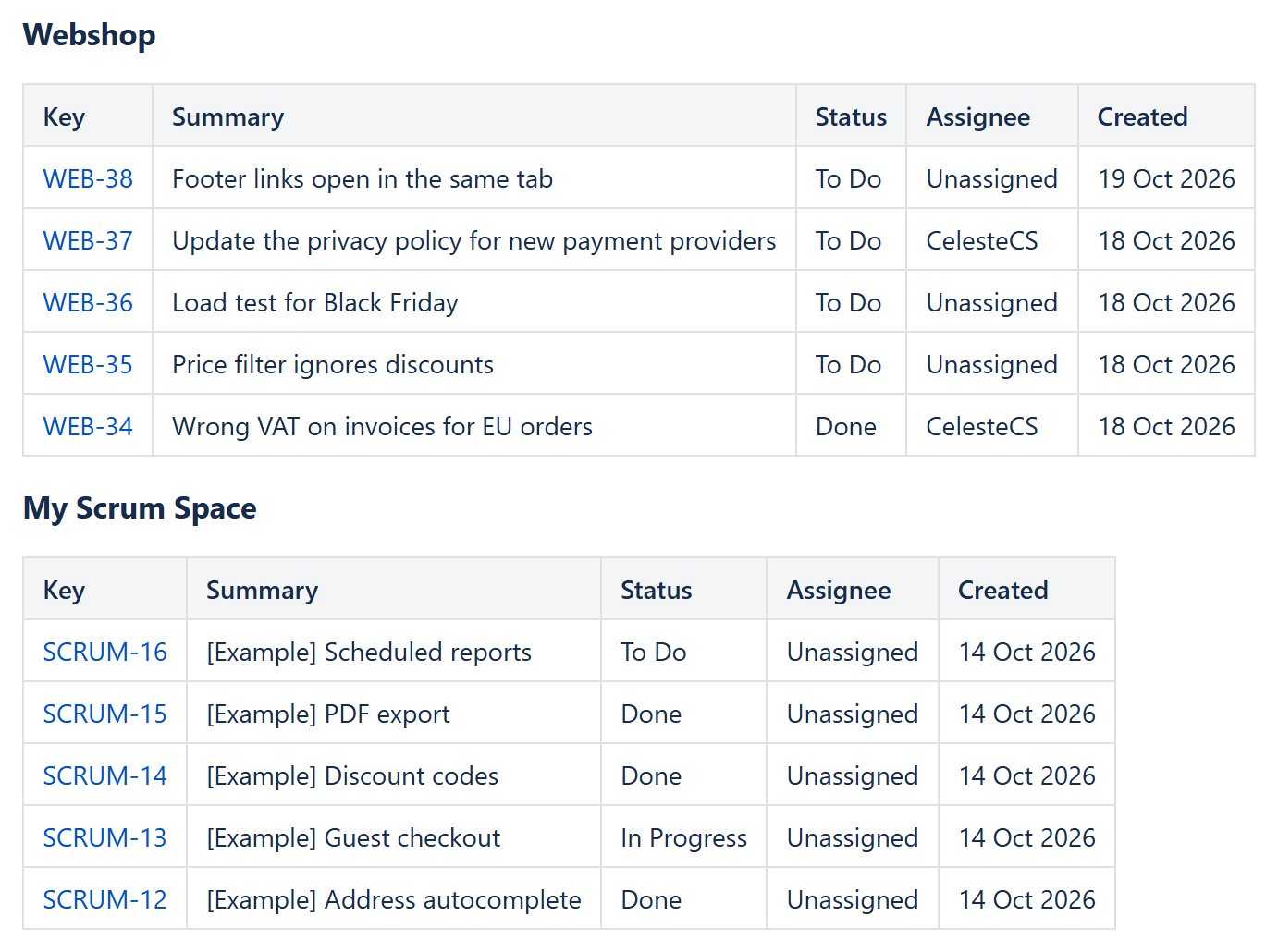
1. One table per project
Insert a Reporting Table View and put a Reporting Jira Data Provider inside it:
- Query:
project = WEB ORDER BY created DESC– the same JQL you used before. - Fields:
summary,status,assignee,created– only the fields the table needs, so less data is loaded. - Max results:
5– the table shows the first five items, in the order of the query.
2. The columns
Add one Reporting Table Item per column:
| Header | Body content | Options |
|---|---|---|
| Key | "<a href="/ & CHAR(34) & "https://YOUR-SITE.atlassian.net/browse/" & CurrentItem.key & CHAR(34) & ">" & CurrentItem.key & "</a>" | Body output type: HTML |
| Summary | CurrentItem.fields.summary | |
| Status | CurrentItem.fields.status.name | |
| Assignee | IF(ISBLANK(CurrentItem.fields.assignee); "Unassigned"; CurrentItem.fields.assignee.displayName) | |
| Created | LEFT(CurrentItem.fields.created; 10) | Format type: Date, pattern dd MMM yyyy |
Replace YOUR-SITE with your Jira site. created holds a date and a time, so LEFT(...; 10) takes the date part before formatting. Reporter works the same way as assignee: CurrentItem.fields.reporter.displayName.
3. The other projects
Copy the Table View once per sub-project and change only the project in the query. Each table stays five rows high, so seven of them fit on one screen-friendly page, with no scroll bars inside the page.
Variations
- Latest updated instead of latest created:
ORDER BY updated DESC. - Only open work:
project = WEB AND statusCategory != Done ORDER BY created DESC. - Highlight stale items: set Highlight when on a column, for example
DAYS(TODAY(); DATEVALUE(LEFT(CurrentItem.fields.created; 10))) > 30.
More on replacing the Jira macro: beyond the Jira Issues macro and a Jira report with filters for readers.
Try it in your own Confluence: CelesteCS Reporting for Confluence on the Atlassian Marketplace – free trial for Cloud and Data Center.
Reporting saves you time? A review on the Marketplace – Reporting – helps other teams find it.