CelesteCS Reporting plugin allows one to create table reports based on Confluence, Jira, Page Properties and attached Json file data with the ability to apply calculations. It contains the following macros:
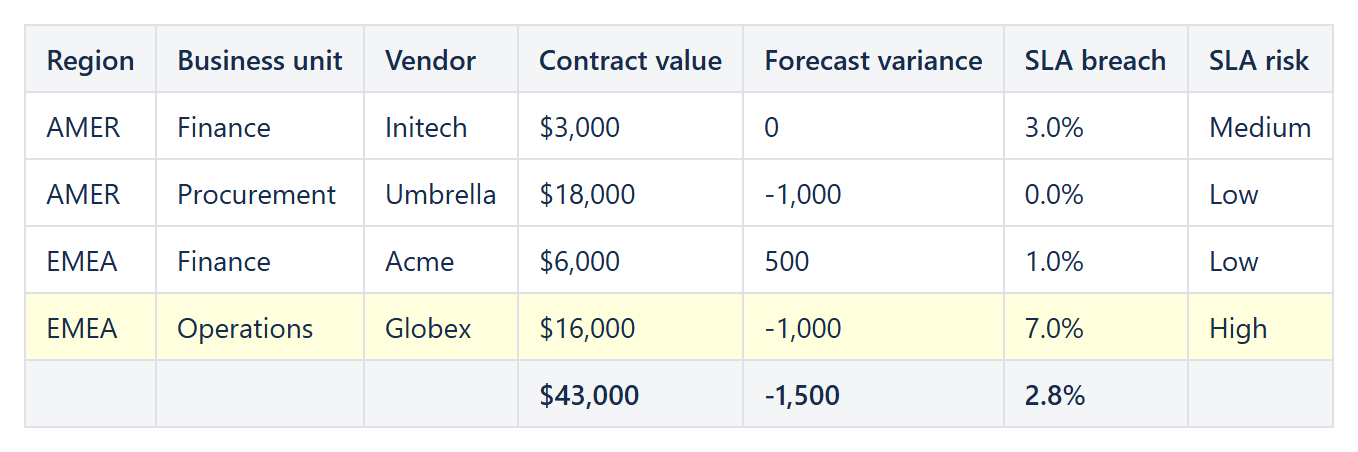
Example: a Reporting Table View with calculated columns, totals in the footer and a highlighted row.
- Reporting Confluence Data Provider macro, which allows one to read data from Confluence.
- Reporting Jira Data Provider macro, which allows one to read data from Jira.
- Reporting Json Data Provider macro, which allows one to read data from the text field or from the page attachment.
- Reporting Page Properties Data Provider macro, which allows one to read the Page Properties tables of Confluence pages New! (Data Center since 14.0.0, Cloud since 2.8.0).
- Reporting List View macro, which forms a multi-level list based on the data from data providers and list item info from reporting list items.
- Reporting List Item macro, which contains the information about list item, one for each list level.
- Reporting Table View macro, which forms a table based on the data from data providers and column info from reporting table items. With Filters for readers New!, everyone who views the page can search, filter and sort the report (Data Center since 15.0.0; Cloud since 19 October 2026).
- Reporting Table Item macro, which contains the information about table column header, footer and body.
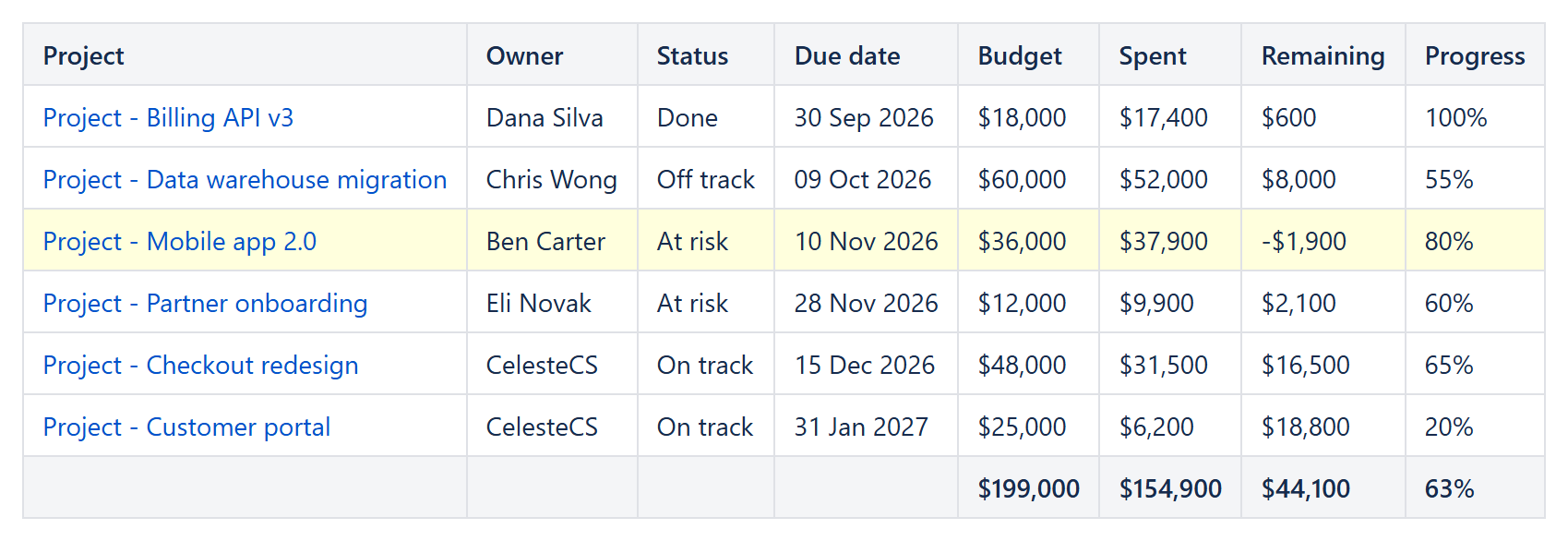
Example: a project portfolio from Page Properties with the Reporting Page Properties Data Provider.
These macros work in conjunction: Reporting List View and Reporting Table View macro should contain one (for tables) to many (for lists) data providers (Reporting Jira Data Provider, Reporting Json Data Provider or Reporting Confluence Data Provider) to read data and at least one Reporting List Item or Reporting Table Item macro to specify which data field to show. Reporting Jira Data Provider, Reporting Json Data Provider, Reporting Confluence Data Provider, Reporting List Item and Reporting Table Item macros cannot be specified separately from the Reporting List View or Reporting Table View as they are just containers for reporting parameters.
Reporting for Confluence Data Center supports Confluence 9.2 – 11.
Read more:
Reporting saves you time? A review on the Marketplace helps other teams find it.