Jira's list view can show the "Linked work items" field, but it shows every link at once – relates to, duplicates, blocks, is blocked by – with no way to keep just the blockers. A filter like issue in linkedIssues(WEB-1, "is blocked by") answers the question for one epic, so scanning many epics means many filters.
A two-level Reporting List View from CelesteCS Reporting for Confluence puts it on one page: every work item that is blocked, with its blockers and their status under it, and every work item that blocks something, with what it blocks.
Checked on Confluence Cloud with Jira Cloud.
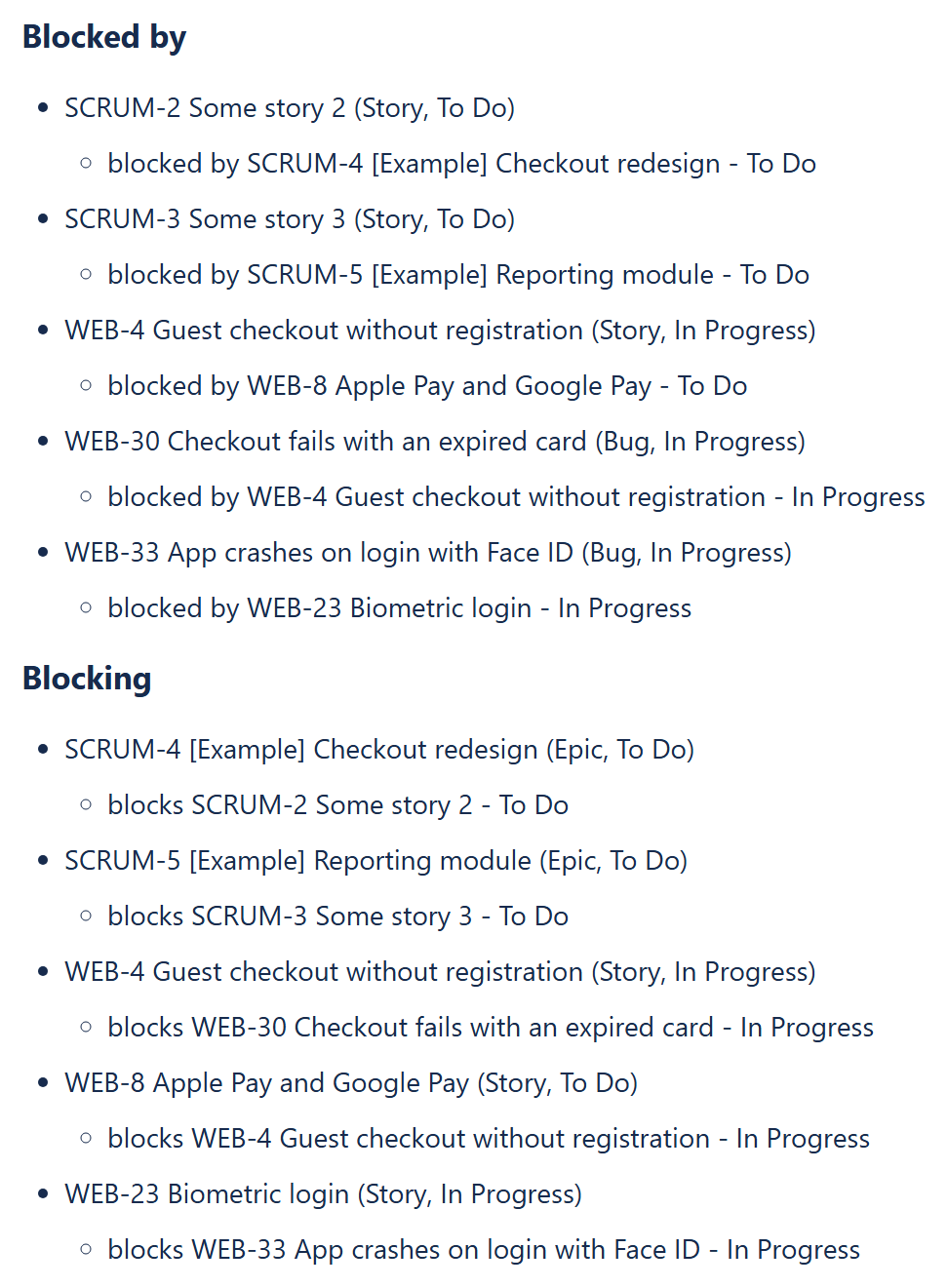
1. Blocked by
Insert a Reporting List View and put four macros inside it, in this order:
- A Reporting Jira Data Provider with the query
project in (WEB, SCRUM) AND issueLinkType = "is blocked by" ORDER BY keyand the fieldssummary,status,issuetype. AddAND issuetype = Epicto list epics only. - A Reporting List Item with the body
[CurrentItem.key] [CurrentItem.fields.summary] ([CurrentItem.fields.issuetype.name], [CurrentItem.fields.status.name])and Skip items with no children switched on. - A second Reporting Jira Data Provider, with Query content type: Single expression and the query
"issue in linkedIssues(" & CurrentParentItem.key & ", 'is blocked by') ORDER BY key"
and the fieldssummary,status. It runs once for each item of the first level;CurrentParentItem.keyis that item's key. - A second Reporting List Item with the body
blocked by [CurrentItem.key] [CurrentItem.fields.summary] - [CurrentItem.fields.status.name].
2. Blocking
A second List View on the same page, the same four macros with blocks instead of is blocked by in both queries, and the word "blocks" in the second List Item.
Good to know
- Use the link names exactly as Jira shows them under Settings > Work items > Work item linking. For "depends on" or a custom link type, change the text in both queries.
issueLinkTypefinds work items that have a link of that type, whatever state the other item is in. To see only blockers that are still open, addAND statusCategory != Doneinside the second query.- Skip items with no children keeps the list clean: an item whose only link of that type points the other way is not shown with an empty sub-list.
- The page is built when it is opened, so the list is always current.
Related: a multi-level Jira work item tree and stuck and overdue Jira work across all projects.
Try it in your own Confluence: CelesteCS Reporting for Confluence on the Atlassian Marketplace – free trial for Cloud and Data Center.
Reporting saves you time? A review on the Marketplace – Reporting – helps other teams find it.